ARCountyData.com Log In


Links
Home
My Account
Contact Us
Help

New Users
About our Service
Account Signup
Test Drive

Multi-County Search
Performing an multi-county search on ARCountyData.com is easy.

Step 1:
Log into your account.

Step 2:
On the left side of the page click to add more counties to your search.
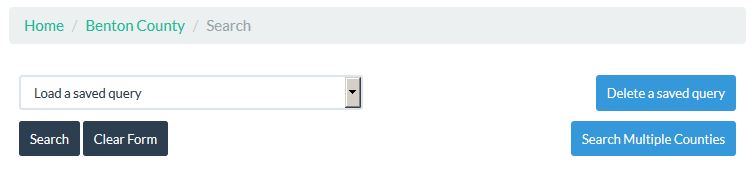
Left Nav Selection of multiple counties

Step 3:
Select the counties you wish to add to the search.
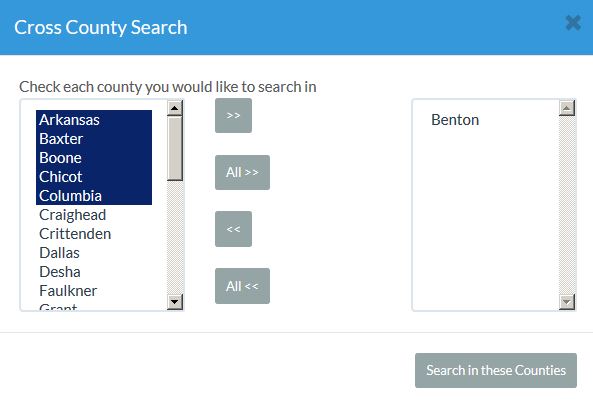
County Selection Pop Up Window

Step 4:
Fill in the rest of your search criteria.
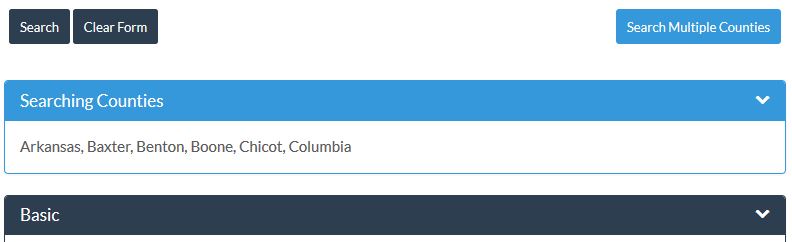
Search Form With Multiple Counties

That’s it!
You can view the multiple counties in your search results, reports and parcel detail pages.


A Service Of
Apprentice Information Systems

© 2012 Apprentice InformationSystems, Inc.
Privacy Policy | Terms of Use